How to buy teamLab Planets TOKYO tickets | Official ticket store, prices that vary by day and time slot, changing the date and time, entry steps, what to wear inside where you walk barefoot
Based on official information: where to buy tickets for teamLab Planets TOKYO, the museum in Toyosu, Tokyo (the official ticket store and others; there are no ticket sales at the venue), adult prices that vary by day and time slot, rules for visiting with children, changing the date and time and cancellations, the steps up to entering with a QR code, clothing and bags for walking barefoot through water inside, and how to get there.
Ad · Affiliate This article contains links to partner booking and shopping pages (affiliate links). If you book or buy through these links, the site operator may receive a commission from the partner. Our advertising policy
Overview
teamLab Planets TOKYO is a museum by the art collective teamLab in Toyosu, Tokyo. You walk through the museum barefoot, and some artworks have you walk through water. According to the official website, the museum is open until the end of 2027.
- There is no ticket counter or ticket machine at the venue. Buy your ticket online in advance, choosing the day you will enter and your entry time slot.
- Entry time slots are every 30 minutes.
- The adult ticket price depends on the day and time slot you enter.
- As a rule, tickets you have bought cannot be canceled or refunded. For tickets bought on the official ticket store, you can change the date and time you enter.
Where to buy
Where to buy tickets
- The official ticket store, "teamLab Planets TOKYO Ticket Store": open it from the button for buying tickets on the official teamLab Planets TOKYO website. It can be displayed in Japanese, English, Chinese (Traditional and Simplified), Korean, and Thai. You can buy as a guest without registering as a member.
- Other sellers: the help pages of the official ticket store list Lawson Ticket, Seven Ticket, and one travel booking site.
- When you buy as a guest on the official ticket store, you can pay by credit card (Visa, Mastercard, JCB, American Express, Diners Club), PayPay, or UnionPay card. Installment payments are not available.
- On the official ticket store, there is no fee on top of the ticket price.
- You can buy up to 10 tickets at one time on the official ticket store.
- For tickets bought from a seller other than the official ticket store, check with the seller you bought from whether you can change the date and time. Also send any inquiries to the seller you bought from.
- Tickets found being sold on resale sites or auction sites become invalid. You cannot enter with an invalid ticket, and your money will not be refunded.
For credit cards you can use in Japan, see Do You Need Cash in Japan? | Where Cards Work, ATMs That Accept Overseas Cards, and Currency Exchange.
Prices
Prices
The ticket for which you choose an entry time slot is the "Entrance Pass". The prices are as follows.
| Ticket | Who it is for | Price |
|---|---|---|
| Entrance Pass (adult) | Ages 18 and over | From ¥3,800 (tax included) (varies by the day and time slot you enter) |
| Entrance Pass (junior high and high school students) | People attending junior high school or high school | ¥2,800 (tax included) |
| Entrance Pass (child) | Children aged 4 to 12 | ¥1,500 (tax included) |
| No ticket needed | Children aged 3 and under | Free |
| Premium Pass | People aged 4 and over (same price for adults and children) | ¥12,000 (tax included) |
- Check adult prices on the calendar of the official ticket store. Under each date, the lowest adult price for that day is shown. When you select a date, the adult price for each time slot is shown.
- When you enter with a "junior high and high school students" ticket, you may be asked to show a student ID. Student IDs from schools outside Japan are also accepted. If you do not have a student ID, show an official document that shows your age, such as your passport.
- The Premium Pass is a ticket that lets you enter without waiting in the entry line. You do not choose an entry time slot; you buy it by choosing only the day you will enter. The hours when you can enter are written on the ticket, and you can enter at any time within those hours. Instead of waiting in the entry line, show your ticket at the information center. If there is a line in front of an artwork inside the museum, you wait in it like everyone else.
Visiting with children
- Children under 13 cannot enter without an adult. They enter together with a guardian aged 18 or over.
- One guardian can bring up to 3 children under 13. Children aged 3 and under, who enter for free, also count toward this number.
- You cannot take a stroller into the museum, even with your child in it. Before you go inside, leave the stroller in the designated stroller area. You can enter carrying your child in a baby carrier.
- There are many dark areas inside, so visitors are asked not to let go of their children's hands.
- In the water artworks, small children's clothes may get wet. You cannot move on to the next artwork while your clothes are still wet. Visitors are asked to bring a change of clothes for small children. If you do not have a change of clothes, borrow a towel from the staff and wipe the wet clothes before moving on.
Booking
Sales and sold-out dates
- On the calendar of the official ticket store, you can check which dates are on sale and which dates are sold out or have few tickets left. A notice under the calendar also tells you when tickets for the next month go on sale.
- Because tickets are not sold at the venue, you cannot buy a ticket for a sold-out date and time even if you go there.
- If more people join your group later, you can buy additional tickets as long as tickets for the same date and time are still on sale. The QR code of the additional tickets is separate from the tickets you bought before.
- After buying, you cannot change the number of tickets.
Changing the date and time, and cancellations
- For an Entrance Pass bought on the official ticket store, you can change the day and time slot you enter until 2 hours before your entry time slot starts. You can change it up to 3 times. For example, if your time slot is 10:00–10:30, you can change it until 8:00 that day.
- For a Premium Pass bought on the official ticket store, you can change the day you enter until 8:30 on the entry day shown on your ticket before the change. You can change it up to 3 times.
- To change the date and time, use the button for changing the entry date and time on the My Ticket screen.
- You can also change to a date and time with a different price. In that case, you pay the full price for the new date and time, and after that, the full price of the original ticket is refunded to you.
- You cannot change the date and time if any one of the following applies: when you want to change the date and time of only some of the tickets bought together in one payment; when you have sent tickets to other people and the transfer of even one of the tickets you sent has not been canceled; when the tickets were bought with a coupon; when tickets for the date and time you want are sold out; when tickets for the date and time you want are not yet on sale.
- As a rule, tickets bought on the official ticket store cannot be canceled or refunded. If you cannot go, change the date and time and use the ticket then.
- If you could not enter because of, for example, an unexpected facility inspection, you may be refunded depending on the reason. In that case, you will be notified on the official ticket store or the official website, or by email to the address you used when buying, among other ways.
- No refunds are given after you have entered.
Step by step
From buying to entering
This is the process when you buy on the official ticket store.
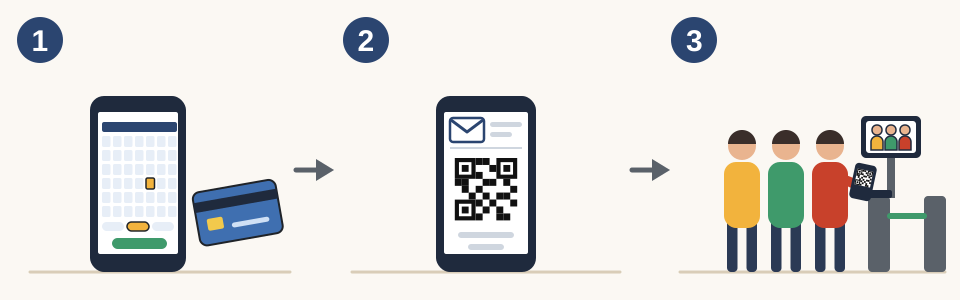
- On the official ticket store, choose the day you will enter and the entry time slot (every 30 minutes), choose the number of tickets, and pay.
- When your purchase is complete, you receive an email with the URL of your ticket. You also receive an email with the same URL 2 days before the day you enter. The QR code on the screen that opens from the URL (My Ticket) is your ticket. The QR code is displayed from 0:00 on the day you enter.
- Go to the entrance within the time slot written on your ticket, and wait in the entry line. When it is your turn, hold the QR code over the reader at the entry gate and go in.
- You cannot enter with a screenshot of the QR code screen. On the day you enter, open the URL of your ticket and display the QR code, or print the QR code on paper and bring it.
- If you bought tickets together, the tickets for everyone are combined in one QR code. When you all enter together, hold that QR code over the reader. The number of people who can enter is shown, so you and the people with you go through the gate one at a time.
- The time slot written on your ticket is the time for entering. It is not how long you can stay inside. Going through the whole museum takes about 120 to 150 minutes. There is no set limit on how long you can stay inside, but when it is crowded, staff may speak to people who stay for a long time.
- The entry line is outdoors. When it is crowded, you may wait about 30 to 60 minutes before entering.
- Even if you are late for your time slot, the staff at the venue will arrange for you to enter as long as you arrive by the last entry time on the day you enter (1 hour before closing). When you arrive, speak to the staff at the venue. Depending on how crowded it is, you may have to wait.
- Once you leave the museum, you cannot go back in.
For getting mobile data to check email while traveling, see Getting Online in Japan | eSIM vs SIM Card vs Pocket Wi-Fi, What to Check First, and Airport Pickup.
Opening hours
Opening hours and closed days
- Opening hours are 8:00–22:00. On December 31, the hours are 8:00–20:00.
- Last entry is 1 hour before closing.
- Closed days are not fixed to a day of the week. Check the "closed" section on the official website or the calendar of the official ticket store.
Conditions
Clothing and bags
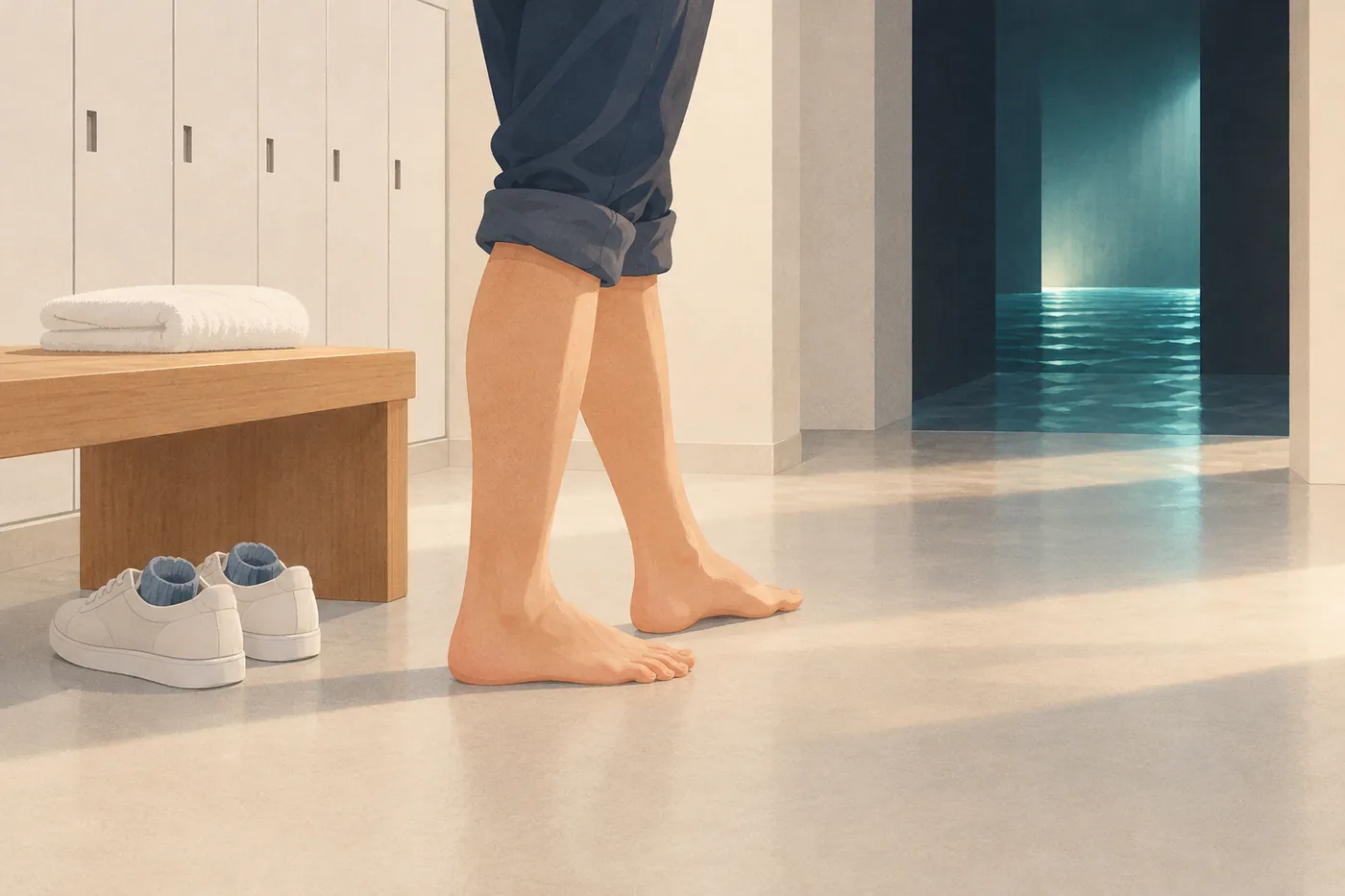
- After you go through the entry gate, there is an area with lockers. There, you take off your shoes and socks and put your bags in a free locker. You cannot take bags into the artworks.
- Suitcases and other items that do not fit in a locker are left in the stroller area, secured with a wire lock. You can also leave large luggage in a coin locker at the station before you go. For how to use coin lockers, see How to Use Coin Lockers at Train Stations in Japan | Typical Prices, Payment and the 3-Day Limit.
- You can borrow shorts for free. Sizes range from XS to 6L. If you are worried about being reflected on the floor, you can also borrow a cloth to wrap around your waist. Ask the staff.
- You are given a towel when you come out of the water artworks. There are changing rooms in the locker area.
- You can take photos and videos. Flash is not allowed. Photography equipment 30 cm or longer, such as monopods, tripods, and selfie sticks, cannot be brought in or used.
- Eating, drinking, and smoking are not allowed inside the museum.
Health and the detour route
- Inside the museum, there are areas with intense light and dark areas. Visitors are advised to take care if they have had seizures or lost consciousness because of light stimulation, are very afraid of narrow, dark, or high places, or have heart palpitations or shortness of breath.
- For safety, there are artworks that pregnant visitors cannot experience.
- For people who cannot go into some of the artworks, such as the water artworks, and for people with small children, there is a detour route that lets you move on without going through those artworks. Tell a nearby staff member.
- Free Wi-Fi "teamLab Planets" is available inside the museum.
Getting there
How to get there
- From Shin-Toyosu Station on the Yurikamome, take the North Exit and walk 1 minute.
- From Toyosu Station on the Tokyo Metro Yurakucho Line, take Exit 7 and walk 10 minutes.
- The museum has no parking lot of its own. Visitors are asked to come by train.
- Toei Bus routes from Tokyo Station, Ginza, and Tsukiji toward Shin-Toyosu are very crowded. The official website asks visitors to use other transportation.
For IC cards you can use on trains and buses, see Welcome Suica: How to Buy and Use It | A 28-Day IC Card for Visitors to Japan.
Good to know
- Prices, opening hours, closed days, and the rules for changing the date and time may change. Before buying, check the official teamLab Planets TOKYO website and the official ticket store.
- For tickets to other attractions in Tokyo, see How to Buy SHIBUYA SKY Tickets | Release Dates, Sell-Outs, Prices by Time Slot, Cancellations, What to Leave Behind for the Rooftop.